Reports
Select the period and location
Open Reports and set Date scope. Admins can choose active-branch or all-branch scope for Sales and Inventory. Managers use their authorized branch.
Date ranges include the first and last Philippine calendar days selected. Displayed transaction times use Asia/Manila.
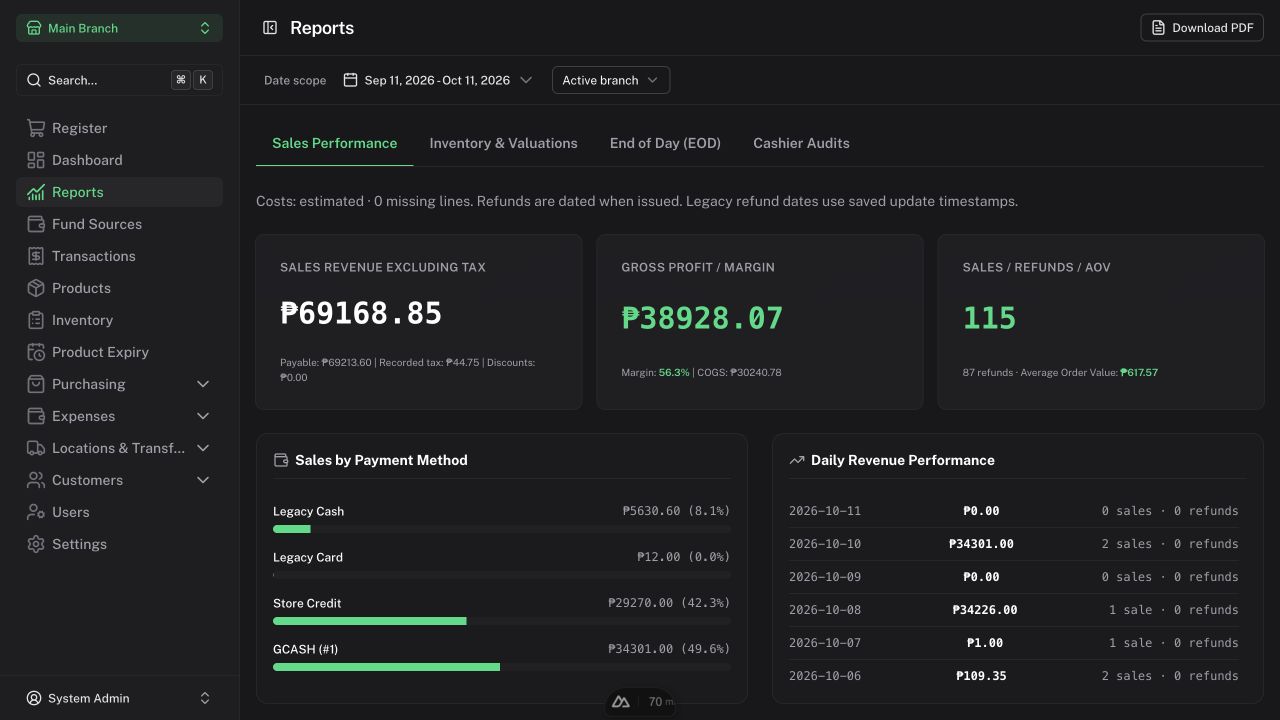
Sales Performance
Review sales activity, revenue, payment-method totals, costs, and profit for the selected period. Sales and refunds are recognized on their respective dates.
- Revenue is customer payable less recorded tax; discounts are already included.
- Cost of goods sold (COGS) uses saved sale costs.
- Gross profit is revenue minus COGS.
- Profit is gross profit minus incurred operating expenses, including unpaid salary/allowance obligations.
Later purchases do not rewrite historical sale costs. Periods with estimated historical costs are labelled. If missing costs affect the period, COGS and profit are unavailable; enter accurate costs for future operations rather than interpreting unavailable values as zero.
Customer credit collections do not create another sale and are not included as new sales payment-method totals.
Inventory & Valuations
Review the stock report and valuation for the selected scope. Receiving costs form the inventory valuation basis. Supplier invoice variances and other charges do not automatically revalue inventory in this release.
End of Day (EOD)
Use this tab for the inventory EOD process and its history. Review the displayed next date and any lock before processing. Open a saved session to review its details or export it.
Inventory EOD is separate from closing a cashier shift. Do not process it merely to close a drawer.
Cashier Audits
Review active/closed shifts, cashier records, declarations, expected cash, and discrepancies. See Cashier shifts for what contributes to the expected amount.
Expense Reports
Open Expenses → Expense Reports. Choose dates and available branch, category, payee, and outstanding-settlement filters.
Incurred expenses, operating payments, and supplier payments are separate measures. Outstanding obligations are reconstructed as of the report end. Salary and allowance details remain Admin-only.
The Admin recorded cash movement view includes immediate customer payments, credit collections, customer refunds, operating payments, and supplier payments. It shows recorded activity, not the actual balance confirmed by your bank.
Export
Use the report's CSV action or Download PDF/Print action as available. Keep the period and branch scope visible when sharing a report. Review exported files before sending them outside your business.
For customer debt exports, see Receivables.