Customers and store credit
Create a customer
Open Customers → Customer Directory → New customer, enter the required information, and save. Select that customer at checkout before using Store Credit.
Store Credit records an unpaid amount owed by the customer. It does not record money received.
Collect a credit payment
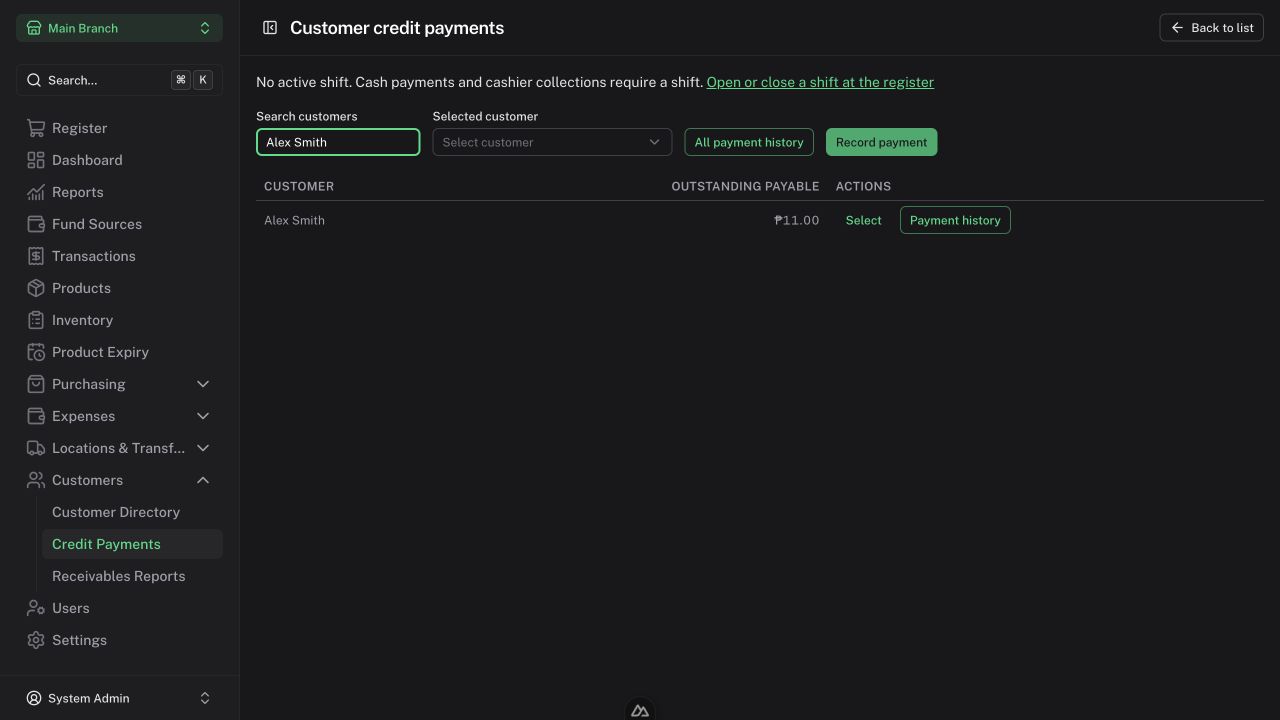
- Open Customers → Credit Payments.
- Select the customer and review outstanding sales in the active branch.
- Select Record payment.
- Enter the amount and choose one eligible Fund Source.
- Review the proposed allocation to debts. The default order is oldest sale first; select specific sale amounts if needed.
- For cash, enter tendered cash and check change.
- Confirm the payment and review its history.
Partial payments are supported. One collection uses one source; record separate collections if the customer uses multiple sources. Existing interest is settled before principal. The app rejects overpayments and changed balances; refresh and reconfirm after a conflict.
Cashiers require an active shift for all collections. Every role needs an active drawer shift for customer cash collections and refunds. Authorized Admin/Manager noncash entries may be recorded without a shift.
Posting dates come from the server and cannot be backdated. Collecting a debt does not create another sale.
Correct a posted collection
Open the payment detail and use its refund action. Original payment history remains available.
- Cashiers may fully reverse their own payment on its Philippine posting day, with an active shift and reason.
- Managers require an Admin for reversals.
- Admins may partially or fully refund; older corrections require the explicit posting-day override and a reason.
- Refunds cannot exceed the original allocation/payment and restore the corresponding debt.
A sale refund is blocked until its dependent collections are fully refunded.
Review receivables
Managers use Customers → Receivables Reports for their branch. Admins may choose the active branch or all branches. Select the as-of date and review the customer balances and aging totals.
Export Customer balances CSV or Aging totals CSV. Aging is measured from the original sale date: 0–30, 31–60, 61–90, and 91+ days. These age buckets do not by themselves mean a debt is overdue.
Historical dates before the available balance baseline may be unavailable. Cashiers can accept payments but cannot access aggregate receivables reports.