Fund sources
A Fund Source represents recorded money in a cash drawer, bank account, or wallet. Its balance changes through posted movements.
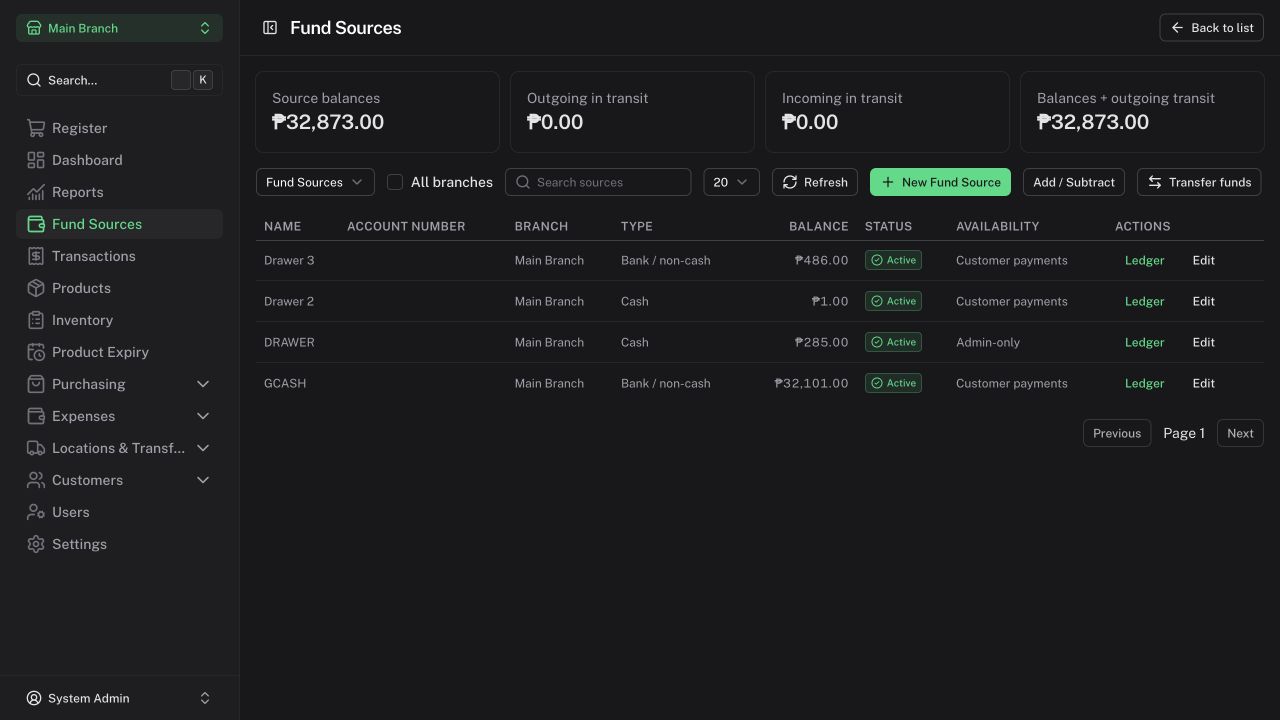
Create a source
As Admin:
- Count cash or reconcile the external account balance first.
- Open Fund Sources → New Fund Source.
- Choose the branch and source type, name it clearly, and enter the verified opening balance, including zero where appropriate.
- Set Use for customer payments when the source should appear at checkout.
- Use Admin-only sources for private staff payments.
- Save and review the opening ledger entry.
Branch, type, and privacy are fixed after creation. An optional account number is descriptive metadata; adding it does not connect to a bank or payment provider.
Review balances and ledgers
Open a source's Ledger to inspect its opening balance and posted movements. Managers can inspect ordinary sources in their branch; Cashiers receive authorized payment choices without source balances or ledgers.
Consolidated funds include source balances plus outgoing in-transit funds. Source ledgers follow posting time; financial reports can follow document dates. Those views may therefore differ for the same selected period.
Adjust a verified balance
An Admin uses Add / Subtract, enters the amount, and records a reason. Opening and closing cash declarations do not make this adjustment automatically.
Ledger entries cannot be edited or deleted. Eligible manual movements are corrected with linked opposite entries; sale and document movements use their own refund/reversal workflows.
Transfer funds
- Admin selects Transfer funds between distinct active sources.
- Dispatch deducts the origin and records the amount in transit.
- Confirm actual receipt at the destination. A destination Manager may confirm an ordinary source in their branch; Admin may confirm any permitted destination.
Receipt is for the full amount and happens once. Before receipt, Admin may return the full transfer with a reason. After receipt, use a new transfer to correct it. Partial receipt and shortage handling are unavailable in this version.
Transfers do not count as sales revenue or operating expense. Transfers involving Admin-only sources remain private.
Archive a source
A source must have zero balance, no active shift, and no pending transfer before it can be archived. Historical names and movements remain available.